Soleil Supplies
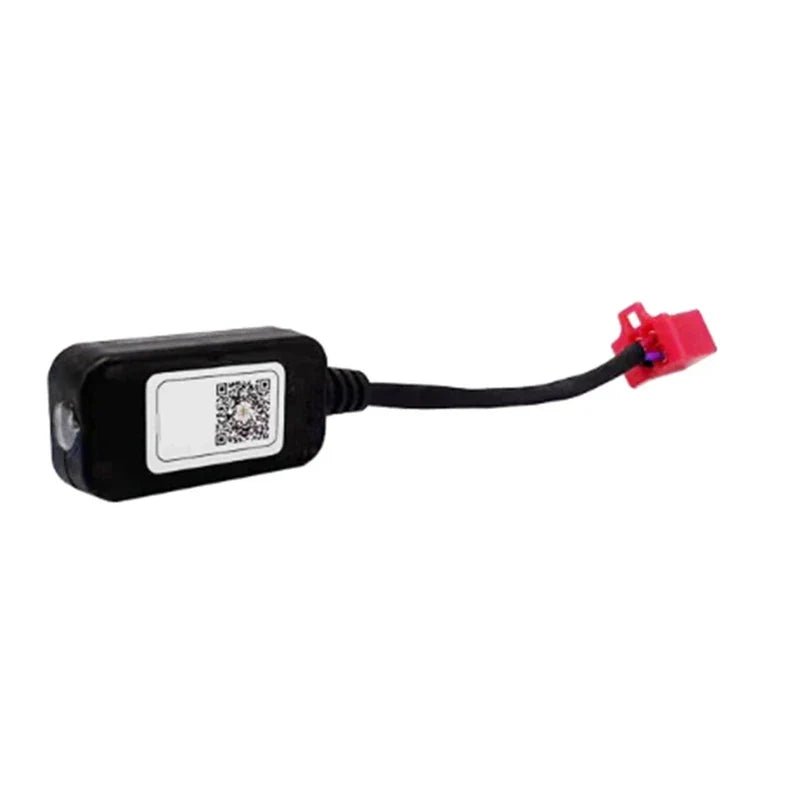
Fardriver Bluetooth Dongle
Couldn't load pickup availability
The Fardriver controller built into your Tuttio Soleil 01 has a lot more capability than the stock setup exposes. This Bluetooth dongle plugs into the controller harness and lets you connect your phone directly — so you can tune throttle feel, regen braking, speed modes, and limits without touching a wire.
⚠️ Warning: Never plug in or unplug the dongle while the controller is powered on. Always power the bike off completely before connecting or disconnecting. Plugging in live can damage the controller or dongle.
Once plugged in and the bike is powered on, the small red LED on the dongle will blink — this confirms it's active and broadcasting over Bluetooth. If the LED isn't blinking, the dongle isn't receiving power; check the connection at the harness plug.
Download the App
iOS: Search "Fardriver" on the Apple App Store
Android: Download the APK directly from the official Fardriver website — it is not on Google Play, so enable "Install from Unknown Sources" in your Android settings first.
Fardriver website: www.far-driver.com
Setup on the Tuttio Soleil 01
- Power off the bike completely before handling the dongle.
- Locate the white connector on the Fardriver controller harness — it sits alongside the main wiring loom. Align the pins and push in firmly until it clicks. Do not force it.
- Power the bike on. The dongle's red LED will begin blinking — it's active.
- Open the Fardriver app on your phone. Make sure Bluetooth is on. Turn off WiFi if you have trouble pairing, as it can interfere.
- Tap Search Device and wait for the controller to appear in the list (shown as "Fardriver" or similar).
- Tap your controller, then tap Connect. Wait for the "Connection Successful" confirmation. Keep your phone within 3–5 feet of the bike during pairing.
- Once connected, the app dashboard shows live data: voltage, current, and temperature in real time.
What You Can Tune
- Throttle curve — adjust sensitivity and acceleration feel
- Regen braking — control how aggressively the motor feeds energy back to the battery on deceleration
- Speed modes and limits — set ECO mode, max speed, or multiple riding modes
- Battery and motor limits — set correct voltage cutoffs, current limits, and protection values
Before changing any settings, take a screenshot of your existing parameters so you can restore them if something feels off. Avoid adjusting advanced motor parameters (FOC, phase currents, field weakening) unless you know what you're doing — incorrect values can affect performance or damage components.
Troubleshooting
- Controller not appearing in the app: Make sure the bike is on and the red LED is blinking. Toggle Bluetooth off and on. Move other Bluetooth devices away.
- App disconnects during use: Keep your phone close to the bike. Avoid locking your screen or switching apps while connected.
- No live data after connecting: Navigate to the Paras tab. If still blank, disconnect and reconnect — the first refresh after pairing can take a few seconds.
Only compatible with Fardriver controllers. Not compatible with other controller brands.